To build my first app, i followed the tutorial given by developer.android.com. (before you can start, you have to set up your developement tools)
- Start eclipse
- type CTRL-N
-
-
-
And after hitting finish, eclipse looked like this:- At this point the tutorial recommends to look at some files and directories (look http://developer.android.com/training/basics/firstapp/running-app.html), but here i will skip this and go straight to running my app
- To run inside an emulator click on the Virtual Device Manager (eclipse):
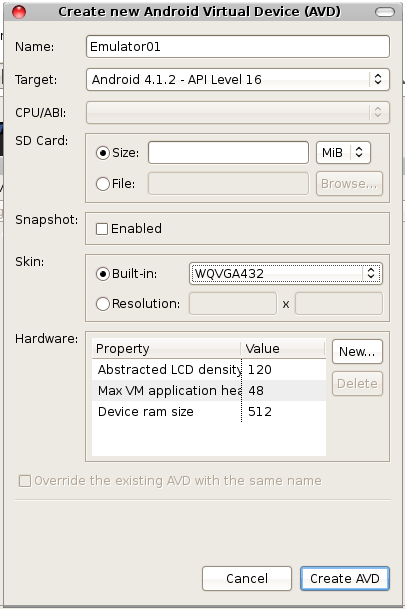
- So i tried to build a new virtual device:
- But this failed with:
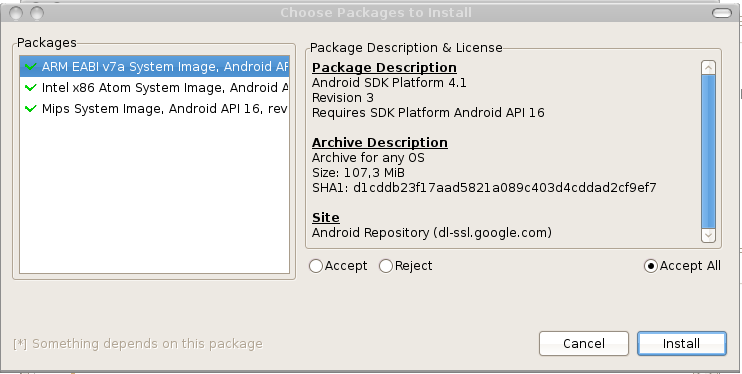
[2012-11-08 20:23:12 - SDK Manager] Unable to find a 'userdata.img' file for ABI armeabi to copy into the AVD folder. - Therefor this link gave a solution:
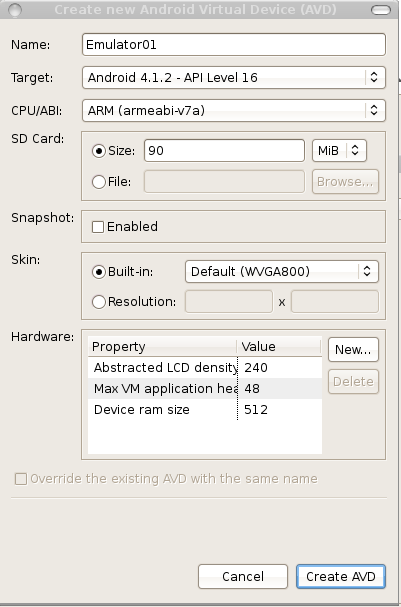
Click on Android SDK Manager - After the successful installation, the drop down "CPU/ABI" showed some content:
- Now the virtual device is there....
- But choosing start i got this error:






Ok. No direct rendering enabled on my debian laptop....
So after running though all this steps, my summary is:
- Looks quite good.
- Before you start, you should use the Android SDK Manager
(eclipse --> Window --> Android SDK Manager) - Do not use a linux device without direct rendering

No comments:
Post a Comment